

360 Degree Cloud 360 Degree Cloud 360 Degree Cloud 360 Degree Cloud
  • Salesforce Services
    • Advisory
      • Consulting Services
      • Health Check
      • License Cost Optimization
      • MCN Migration Readiness
      • Data 360 Readiness
    • Build & Migrate
      • Implementation Services
      • CPQ to Revenue Cloud
      • Managed Service
      • AgentExchange Services
    • Clouds
      • Core Clouds
        • Sales Cloud
        • Service Cloud
        • Marketing Cloud
        • Commerce Cloud
        • Experience Cloud
        • Pardot (MCAE)
        • Data 360
        • Tableau
        • Heroku
        • MuleSoft
        • Slack
      • Industry Clouds
        • Finance Cloud
        • Health Cloud
        • Nonprofit Cloud
        • Education Cloud
        • Manufacturing Cloud
  • Agentforce
    • Agentforce Consulting
    • AI Agents
      • AI Voice Agent
      • Call Translation Agent
      • Call Transcription Agent
      • Chatbot Agent
      • LinkedIn Leads Parsing
      • Recruitment Agent
      • SOW Generator
      • Metadata Automation
  • Products
    • Communication Suite
      • 360 SMS (Salesforce)
      • 360 SMS (Zoho)
      • 360 CTI
      • Call Logging Software
      • 360 Textolic
      • 360 Mass Mailer
      • 360 LINE
    • Productivity Suite
      • 360 Verify the Mail
  • Hire Talent
    • Salesforce Staff Augmentation
      • Hire Salesforce Developers
      • Hire Salesforce Consultant
      • Hire Salesforce Architect
      • Salesforce Solution Architect
      • Salesforce Technical Architect
    • IT Staff Augmentation Services
      • SDR
      • Microsoft Dynamics 365
      • Virtual Assistant
  • IT Services
    • IT Consulting Service
    • Mobile Development Services
    • AI Automation Services
    • Web App Development
    • Cloud Migration Services
    • AI/ML Services
    • App Development Services
    • UI/UX Development
    • QA and Testing
  • Industry
    • Non-Profit
    • Education
    • Real Estate
    • Financial Services
    • Healthcare
    • Retail
    • Insurance
    • Manufacturing
    • Professional Services
  • Resources
    • Blog
    • Pro Tips
    • Case Study
    • Webinar
  • Company
    • About Us
    • Careers
    • Contact Us
    • CSR
Talk to Us

How to Get Started with Salesforce GitHub Integration

Editorial Team
Editorial Team

360 Degree Cloud

06 Nov 2024

Table of Contents

  • Why Salesforce GitHub Integration Matters
  • Benefits of Salesforce-GitHub Integration
  • Best Practices for Successful Salesforce-GitHub Integration
  • Go for Salesforce GitHub Integration for Streamlined Development
How to Get Started with Salesforce GitHub Integration

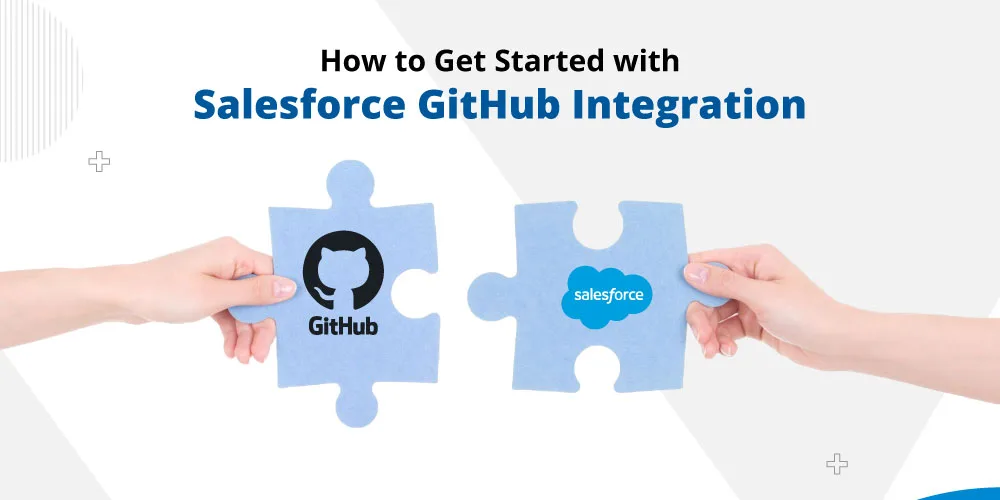
Every business is in the competition to stay ahead and closer to the audience and to ensure this, agility and efficiency are essential. Firms need to have such streamlined development processes that help them excel while making a strong impression in the market. For businesses that have been using Salesforce to manage their records and customer relationships, it is important to maximize the platform’s power. That’s where they can consider Salesforce GitHub integration that will help take development workflows to the next level.

Imagine this: Your team can seamlessly track, manage, and collaborate on every line of code, ensuring rapid development cycles and fewer errors. Instead of wading through outdated code or dealing with deployment issues, you can automate and streamline updates directly within Salesforce. This integration unlocks a whole new level of efficiency, enabling businesses to deliver faster, adapt to changes, and capture new opportunities with minimal friction. If you’re ready to empower your team, reduce headaches, and bring a competitive edge to your business, Salesforce-GitHub integration is the key.

In this blog, we’ll be looking at this integration more closely, analyzing how it could be valuable for businesses.

Table of Contents

  • Why Salesforce GitHub Integration Matters
  • Benefits of Salesforce-GitHub Integration
  • Best Practices for Successful Salesforce-GitHub Integration
  • Go for Salesforce GitHub Integration for Streamlined Development

Why Salesforce GitHub Integration Matters

In a development environment, particularly with platforms as robust as Salesforce, the ability to manage code effectively is essential. GitHub when integrated with Salesforce, brings opportunities for streamlined project management while increasing the transparency. Let’s see what exactly it offers.

1. Enhanced Version Control

GitHub is known for its robust version control system, which helps teams to track every change made to code. This helps developers to access previous versions and collaborate more effectively. This is especially important for Salesforce projects, which often involve multiple developers working on the same components.

2. Collaborative Development

Development teams can collaborate more seamlessly with GitHub integration with Salesforce, managing code and configurations across multiple developers and ensuring each of them can work with the updated version.

3. Automated Deployment and Testing

The integration also helps to automate the deployment process, so that the code can be tested and later deployed to different Salesforce environments. 

Benefits of Salesforce-GitHub Integration

Salesforce-GitHub integration brings a host of benefits that can transform your team’s approach to development and deployment. Here are some key advantages:

1. Improved Code Quality and Consistency

GitHub has a pull request and code review features to ensure that only high-quality, consistent code is reached at production. This enables teams to identify and address issues timely.

2. Efficient Collaboration and Workflow Management

GitHub provides developers with a collaborative platform, allowing developers to work with a platform to discuss any issues and review code together. This helps them to work in coordination.

3. Streamlined Deployments

By using GitHub with Salesforce CI/CD tools, such as GitHub Actions, developers can work on automating their deployment pipelines. With automated deployments, changes are quickly moved to different environments with minimal effort.

4. Enhanced Security and Tracking

Working on Salesforce projects with GitHub allows you to implement security best practices, such as role-based access control. It also enables tracking every code modification, so teams have a transparent record of any chances made to the code.

Best Practices for Successful Salesforce-GitHub Integration

To get the most out of Salesforce GitHub integration, following best practices is essential. These guidelines will help you establish an efficient workflow, maintain code integrity, and maximize the integration’s benefits.

1. Set Up Branching Strategies

When using Salesforce and GitHub together, setting up a branching strategy is crucial to manage code across different development, testing, and production stages. Common strategies include Feature Branching and Main and Develop Branching.

This branching strategy helps to keep code organized, prevents conflicts, and makes it easier to roll back changes when required.

2. Enforce Code Reviews and Approvals

GitHub’s pull request feature allows team members to review code before it’s merged into shared branches. Enforcing code reviews provides several benefits:

– Maintains Code Quality: Code reviews ensure that new additions meet team standards and helps prevent errors.

– Encourages Knowledge Sharing: Code reviews provide a collaborative learning environment for the team.

3. Regularly Synchronize Salesforce Metadata with GitHub

To keep GitHub in sync with your Salesforce metadata, schedule regular pushes of Salesforce configurations to GitHub. This helps maintain a versioned record of Salesforce setup changes, which is valuable for:

– Tracking Customizations: Salesforce orgs often undergo customization; synchronizing metadata helps track changes over time.

– Team Transparency: Keeping metadata updated in GitHub allows the entire team to see the current state of the Salesforce environment, which helps avoid inconsistencies and improves collaboration.

Regular metadata syncs also make it easier to rollback changes if something goes wrong, providing an extra layer of security.

Go for Salesforce GitHub Integration for Streamlined Development

Integrating Salesforce with GitHub is a powerful step towards modernizing your development processes. Following best practices, from implementing a robust branching strategy to enforcing code reviews, you can ensure a smooth integration experience. Also, you need to have the right team of experts to handle the integration. Contact us and talk to our best Salesforce integration experts for a streamlined and smooth integration.

Categories

  • Software Services
  • Salesforce Services
  • Salesforce Clouds
  • Products
  • Our Approach
  • Industry
  • Hire Staff
  • AI and Agentforce

Most Trusted Salesforce Summit Partner

4.95
★★★★★
Review (220) on SalesforceAppexchange Read our Reviews

Solve It with Salesforce. We’ll Show You How.

Captcha

Refresh

By submitting this form, I acknowledge that I have read and understand 360 Degree Cloud's Privacy Policy.
AI. Apps. Experts. Everything you need to win with Salesforce under one roof.

Share this Blog

Editorial Team

About the author

Editorial Team

The Editorial Team at 360 Degree Cloud brings together seasoned marketers, Salesforce specialists, and technology writers who are passionate about simplifying complex ideas into meaningful insights. With deep expertise in Salesforce solutions, B2B SaaS, and digital transformation, the team curates thought leadership content, industry trends, and practical guides that help businesses navigate growth with clarity and confidence. Every piece we publish reflects our commitment to delivering value, fostering innovation, and connecting readers with the evolving Salesforce ecosystem.

Recent Blogs
How to Create a Salesforce Roadmap That Aligns CRM With Business Growth? Uncategorized
Nov 18, 2026

How to Create a Salesforce Roadmap That Aligns CRM With Business Growth?

Most Salesforce orgs don’t fail on day one. They drift. A new field here, a quick automation there, one more integration because sales asked nicely.…

Read More

Don’t Close 2026 Without This Year-End Salesforce Audit Uncategorized
Nov 17, 2026

Don’t Close 2026 Without This Year-End Salesforce Audit

Picture the first week back after the holidays. Everyone’s still settling in, and nobody’s really working yet.  Then a message lands from leadership: they need…

Read More

Salesforce Agrees to Acquire Braze: What It Means for Marketing Cloud Marketing Cloud
Nov 6, 2026

Salesforce Agrees to Acquire Braze: What It Means for Marketing Cloud

Salesforce Acquires Braze for $5.66 Billion – What It Means for Marketing Cloud

Read More

Ready to Make the Most Out of Your Salesforce Instance?

Talk to Us!

Our Salesforce aces would be happy to help you. Just drop us a line at contact@360degreecloud.com, and we’ll take it from there!

Subscribe to our newsletter

Stay ahead with expert insights, industry trends, and exclusive resources—delivered straight to your inbox.



1968 S. Coast Hwy #1412, Laguna Beach, CA 92651, USA

+1 309 316 7929 (USA)

+44 7897 031106 (UK)

+61 480 094 870 (AUS)

+91 8527100121 (IN-Sales)

contact@360degreecloud.com

recruiters@360degreecloud.in

Our Approach

  • Hire and Train Deploy Model
  • Resource based Model
  • On Site Model
  • Offsite Model
  • Hybrid Model
  • Offshore Model
  • Fixed Cost Model
  • T and M Model

Clouds

  • Sales Cloud
  • Marketing Cloud
  • Service Cloud
  • Experience Cloud
  • Commerce Cloud
  • Analytics Cloud

Quick Link

  • About Us
  • Careers
  • Blog
  • Cookie Policy
  • Terms of Use
  • Privacy Policy
  • Terms of Service
© 2026 360 Degree Cloud. All rights reserved.

We use cookies to enhance your browsing experience, serve personalized ads or content, and analyze our traffic. By clicking "Accept All", you consent to our use of cookies.

Customize Consent Preferences

We use cookies to help you navigate efficiently and perform certain functions. You will find detailed information about all cookies under each consent category below.

The cookies that are categorized as "Necessary" are stored on your browser as they are essential for enabling the basic functionalities of the site.

We also use third-party cookies that help us analyze how you use this website, store your preferences, and provide the content and advertisements that are relevant to you. These cookies will only be stored in your browser with your prior consent.

You can choose to enable or disable some or all of these cookies but disabling some of them may affect your browsing experience.


› Necessary Always Active

Necessary cookies are required to enable the basic features of this site, such as providing secure log-in or adjusting your consent preferences. These cookies do not store any personally identifiable data.

CookiePHPSESSID
DurationSession
DescriptionNative to PHP applications. Stores and identifies a user's unique session ID to manage user sessions on the website. Deleted when all browser windows are closed.
Cookie_lfa
Duration1 year
DescriptionSet by Leadfeeder to identify the IP address of devices visiting the website, in order to retarget multiple users routing from the same IP address.
Cookietwk_idm_key
DurationSession
DescriptionSet by Tawk to allow the website to recognize the visitor in order to optimize the chat-box functionality.
CookieTawkConnectionTime
DurationSession
DescriptionSet by Tawk.to live chat. Helps remember users so that previous chats can be linked together for improved service.
CookieNID
Duration6 months
DescriptionSet by Google for advertising purposes; to limit the number of times the user sees an ad, mute unwanted ads, and measure the effectiveness of ads.
Cookieccb_consent
Duration365 days
DescriptionSet by this site's cookie consent banner to remember your accepted/rejected categories, so your preferences are respected on subsequent visits. Does not collect or store any personally identifiable data.

› Functional

Functional cookies help perform certain functionalities like sharing the content of the website on social media platforms, collecting feedback, and other third-party features.

CookieUserMatchHistory
Duration1 month
DescriptionLinkedIn sets this cookie for LinkedIn Ads ID syncing.
Cookielidc
Duration1 day
DescriptionLinkedIn sets this cookie to facilitate data center selection.
Cookieli_gc
Duration6 months
DescriptionLinkedIn sets this cookie for storing visitor's consent regarding using cookies for non-essential purposes.

› Analytics

Analytical cookies are used to understand how visitors interact with the website. These cookies help provide information on metrics such as the number of visitors, bounce rate, traffic source, etc.

Cookie_gcl_au
Duration3 months
DescriptionSet by Google Tag Manager to experiment with advertisement efficiency of websites using their services.
Cookie_ga
Duration1 year 1 month 4 days
DescriptionSet by Google Analytics to calculate visitor, session and campaign data and track site usage. Stores information anonymously and assigns a randomly generated number to recognise unique visitors.
Cookie_gid
Duration1 day
DescriptionSet by Google Analytics to store information on how visitors use a website and create an analytics report of the website's performance.
Cookie_gat_UA-*
Duration1 minute
DescriptionSet by Google Analytics for user behaviour tracking.
Cookie_fbp
Duration3 months
DescriptionSet by Facebook to display advertisements when either on Facebook or on a digital platform powered by Facebook advertising after visiting the website.
CookieAnalyticsSyncHistory
Duration1 month
DescriptionSet by LinkedIn to store information about the time a sync took place with the lms_analytics cookie.
Cookie_gat_gtag_UA_*
Duration1 minute
DescriptionSet by Google Analytics to store a unique user ID.
Cookie_ga_*
Duration1 year 1 month 4 days
DescriptionSet by Google Analytics to store and count page views.
CookieCONSENT
Duration2 years
DescriptionSet by YouTube via embedded videos and registers anonymous statistical data.

› Performance

Performance cookies are used to understand and analyze the key performance indexes of the website which helps in delivering a better user experience for the visitors.


› Advertisement

Advertisement cookies are used to provide visitors with customized advertisements based on the pages you visited previously and to analyze the effectiveness of the ad campaigns.

Cookietest_cookie
Duration15 minutes
DescriptionSet by doubleclick.net to determine if the user's browser supports cookies.
Cookiebcookie
Duration1 year
DescriptionLinkedIn sets this cookie from LinkedIn share buttons and ad tags to recognize browser IDs.
Cookiebscookie
Duration1 year
DescriptionLinkedIn sets this cookie to store performed actions on the website.
CookieYSC
DurationSession
DescriptionSet by YouTube to track the views of embedded videos on YouTube pages.
CookieVISITOR_INFO1_LIVE
Duration6 months
DescriptionSet by YouTube to measure bandwidth, determining whether the user gets the new or old player interface.
Cookieli_sugr
Duration3 months
DescriptionSet by LinkedIn to collect user behaviour data to optimise the website and make advertisements more relevant.
CookieIDE
Duration1 year 24 days
DescriptionGoogle DoubleClick IDE cookies store information about how the user uses the website to present them with relevant ads according to the user profile.

› Uncategorized

Other uncategorized cookies are those that are being analyzed and have not been classified into a category as yet.


We use cookies to enhance your experience. You may opt out of the sale or sharing of your personal information at any time.

logo Live Chat

Contact Our Expert

Loading...
captcha
By submitting this form, I acknowledge that I have read and understand 360 Degree Cloud's Privacy Policy