

How to Request a Salesforce Email Limit Increase: Admin Steps and Edition Upgrades

360 Degree Cloud
21 Aug 2026
Table of Contents
You’re mid-campaign, list queued, ready to go. Then Salesforce just… stops sending. No banner. No warning. Usually just a quiet failure buried in the debug log. That’s the exact moment most admins go hunting for a Salesforce email limit increase.
Here’s the part nobody wants to hear: hitting the core mass email cap doesn’t always mean Salesforce will simply raise it. You can request a temporary increase through Salesforce Support, but approval depends on your use case and Salesforce’s eligibility requirements. What you can do first is figure out what’s actually blocking you. Because half the time? It isn’t the limit at all.
Worth saying up front: if your team keeps hitting this same wall, month after month, it’s worth looking at how 360 Mass Mailer routes email through SendGrid instead of Salesforce’s own engine. That one architectural choice is why it dodges the governor limit entirely. More on that further down.
Table of Contents
Salesforce Daily Email Limits by Edition
Two separate daily allowances. Admins mix them up constantly, and honestly, Salesforce’s naming doesn’t help.
Mass email. This includes Salesforce’s mass/list email functionality and is subject to a daily recipient limit that varies by edition. For example, Professional Edition has a lower limit than Enterprise and Unlimited. The limit is based on the organization’s daily allocation rather than a rolling 24-hour window, so don’t assume capacity returns exactly 24 hours after each send.
Single email runs separately: SingleEmailMessage, record-page sends, 5,000 per user per day. Send 4,000 mass emails, and your single email quota doesn’t move an inch. Tracked independently. Worth remembering next time the numbers in your head don’t match what’s on screen.
And here’s the bit that trips everyone up. Edition doesn’t touch the 5,000 mass email ceiling. At all.
| Edition | Daily Mass Email Cap | Notes |
| Essentials/Starter | Limited | Not designed for high-volume outreach |
| Professional | 1,000 | Lower daily mass-email allocation |
| Enterprise | 5,000 | Standard daily allocation |
| Unlimited | 5,000 | Same daily allocation as Enterprise |
| Developer/Trial orgs | 10 | Applies to applicable mass/list email functionality |
Salesforce email limits can vary by email type, org configuration, and functionality. Confirm the current limit for your org in Setup before planning a large send.
You really don’t want to learn you were wrong with 3,000 contacts already queued on a Tuesday morning.
One more thing, and it matters more than people think: internal emails to licensed users don’t count against either pool.
Reach more customers through emails without increasing your Salesforce edition?
How to Check Your Current Email Usage
Look at what you’ve actually used. Before requesting anything. Salesforce doesn’t hand you a live counter on the home page, so this part’s manual; no way around it.
Setup, then Email Log Files. Pull the last 24 hours. Timestamped record of every send, every delivery status, filterable by type. Closest thing to a real dashboard you’ll get natively (which, to be fair, still isn’t much).
A few things worth checking while you’re in there:
- Sum the recipient counts against 5,000 to see what’s actually left before a large send goes out
- Failed sends to bounced or unsubscribed addresses still count as attempts, still eat quota, even when nothing lands
- Watch the applicable daily limit and reset period rather than assuming each send gets its own 24-hour window. Salesforce’s daily email limits aren’t simply restored 24 hours after each individual send.
Marketing, sales, customer success. All three often draw from the same shared pool without anyone realizing it until the afternoon send fails. A shared tracking sheet, even a rough one, updated before big pushes, stops one team from quietly torching capacity another team was counting on.
Steps to Request a Limit Increase Through Salesforce Support
So how many mass emails can you actually send in Salesforce, and will Support raise that number if you ask? Sometimes—but not automatically. Salesforce allows eligible customers to request a temporary increase to their Daily Mass Email limit through Salesforce Support. The request is reviewed based on factors such as your use case, required volume, and duration, so approval isn’t guaranteed.
For admins staring at a Salesforce email limit reached error, the first step is still to confirm that you’ve actually hit the applicable limit rather than dealing with a different configuration or sending issue.
That said, opening a case still has its place. Here’s when the ticket’s actually worth filing.
Confirm it’s a real limit hit first, not a bug. Pull the Email Log Files. If the count doesn’t match what Salesforce reports as your cap, or sends fail well under 5,000, that’s a bug report, not a capacity request.
Rule out permissions next. Missing “Modify All Data” or the wrong permission set can look exactly like a limit error from the outside. Check this before you escalate anything to Support.
Ask about org-specific quirks too. Professional Edition sometimes gates mass email behind a separate API access purchase, and that’s the kind of thing worth confirming directly rather than assuming.
And if you’re weighing an edition change, document the business case. Support can tell you what an upgrade will and won’t unlock for your specific org before anyone commits budget to it.
If you need more capacity for a legitimate, qualifying use case, you can submit a limit-increase request through Salesforce Support. Be prepared to provide the volume you need, how long you need the increase, and why the additional capacity is required. Salesforce reviews these requests individually, and temporary increases aren’t intended to be a permanent solution for recurring high-volume marketing sends.
When an Edition Upgrade Makes More Sense Than a Limit Increase
Worth saying plainly: moving from Professional to Enterprise or Unlimited can change your default Daily Mass Email allocation, because Professional has a lower daily limit. Enterprise and Unlimited both provide a 5,000-recipient daily allocation.
What upgrading actually changes:
Batch size per send goes up, so you’re moving bigger chunks with fewer clicks. Automation gets deeper, with more room in Flow and Process Builder for triggering emails based on business logic. API access often opens up, since Professional sometimes gates it separately. And reporting plus object customization improve, shaping how precisely you can segment before you hit send.
Beyond the difference between editions such as Professional and Enterprise, an upgrade isn’t a way to keep scaling your daily mass-email volume indefinitely.
If your real problem is sustained high-volume sending, an edition upgrade may give you more native capacity, but it doesn’t remove Salesforce’s daily mass-email limits altogether. That’s it. Doesn’t move the wall one inch. Worth knowing before anyone signs off on an Unlimited contract expecting the cap to just quietly disappear.
Want to scale email campaigns and drive more engagement with 360 Mass Mailer?
Bypassing Native Limits With a Third-Party Tool
Once the bugs are ruled out and the permissions check out and the 5,000 cap is genuinely, actually your constraint, the honest options narrow fast. Batch sends across multiple days. Offload to a marketing automation platform. Or route through an AppExchange-native tool that isn’t drawing from Salesforce’s own email governor in the first place.
That’s where 360 Mass Mailer fits. Especially for teams that want to stay inside Salesforce instead of exporting data somewhere else entirely. It’s built natively on the Salesforce architecture; that part’s not different. But sends run through SendGrid infrastructure rather than Salesforce’s built-in engine. Which means bulk sends through 360 Mass Mailer aren’t constrained by Salesforce’s native Daily Mass Email allocation in the same way as sends that use Salesforce’s own email infrastructure.
Day to day, not much changes for the admin. Still sending from the object list view, from a Campaign record, or from a Report, the same entry points that native Salesforce email already uses. What’s different sits underneath, in the delivery layer. SendGrid handles the actual send, with tracking of delivery, opens, bounces, and clicks synced back to Salesforce records. Scheduling and drip campaign automation stack on top of that, so a follow-up sequence gets built once and runs itself instead of someone manually resending each stage by hand.
For teams that outgrew native limits months ago and have just been quietly working around them ever since, that’s the actual fix. Rather than relying on a temporary increase from Support, you get a different sending infrastructure built for higher-volume email.
Conclusion
Most “how do I increase my Salesforce email limit” searches land the same place. There isn’t one, not really — not the kind you can count on. The 5,000 mass email cap holds across Professional, Enterprise, and Unlimited. No edition upgrade touches it. Genuinely none.
Support can grant a temporary bump. In eligible cases. But it’s reviewed one request at a time, not something you build a campaign calendar around.
So what actually helps? Finding the real bottleneck first. A permissions issue. A misread Email Log File. Your org’s own batch behavior doing something you didn’t expect. That’s the work — before you burn time, or budget, chasing a fix that was never guaranteed to begin with.
To be fair, some teams do get the temporary increase and never think about this again. Most don’t.
For teams that have confirmed the cap really is the wall: waiting on Salesforce for more headroom isn’t the path. A different delivery layer is — one that was never competing for that 5,000-recipient pool. That’s the gap 360 Mass Mailer closes. Inside Salesforce. Routing through SendGrid instead of the native engine.

Solve It with Salesforce. We’ll Show You How.
AI. Apps. Experts. Everything you need to win with Salesforce under one roof.Frequently Asked Questions
How many mass emails can I send in Salesforce per day?
It depends on your Salesforce edition. Professional Edition has a 1,000-recipient daily mass-email allocation, while Enterprise and Unlimited have a 5,000-recipient daily allocation. Other editions and org types can have different limits. These are daily limits rather than rolling 24-hour windows.
Why am I getting a Salesforce email limit reached error before hitting 5,000?
A few things could be going on. You might be lumping single email sends and mass email sends into one mental bucket when they're tracked completely separately. Failed attempts to bounce or unsubscribed addresses still count, even without delivering anything. That, plus per-blast batch caps (roughly 250 to 1,000 depending on edition), trips an error way before the daily ceiling ever does.
Can I request a temporary bump for one big campaign?
Yes, in some cases. Salesforce allows eligible customers to request a temporary Daily Mass Email limit increase through Support. You'll need to provide details such as the required volume, duration, and business use case, and Salesforce reviews the request before approving or declining it. It's not intended as a permanent solution for recurring high-volume marketing sends.
Does Unlimited Edition remove the email cap?
No. Unlimited Edition still has a daily mass-email limit. However, Professional Edition has a lower default allocation, while Enterprise and Unlimited provide a 5,000-recipient daily allocation. An upgrade doesn't eliminate Salesforce's native email limits altogether.
Is there a way to send more than 5,000 emails a day without leaving Salesforce?
Yes, actually. Native AppExchange tools like 360 Mass Mailer route sends through SendGrid instead of Salesforce's own email governor, which removes the shared 5,000-recipient constraint while keeping tracking, templates, and scheduling inside your org where they belong.
About the author
Editorial TeamThe Editorial Team at 360 Degree Cloud brings together seasoned marketers, Salesforce specialists, and technology writers who are passionate about simplifying complex ideas into meaningful insights. With deep expertise in Salesforce solutions, B2B SaaS, and digital transformation, the team curates thought leadership content, industry trends, and practical guides that help businesses navigate growth with clarity and confidence. Every piece we publish reflects our commitment to delivering value, fostering innovation, and connecting readers with the evolving Salesforce ecosystem.
Recent Blogs
 Comparison
7 Best Pardot (Account Engagement) Alternatives for Salesforce Teams in 2026
Paying $1,250 a month for Pardot when your team mostly sends newsletters, bulk emails, and follow-ups? You might be paying for far more marketing automation…
Read More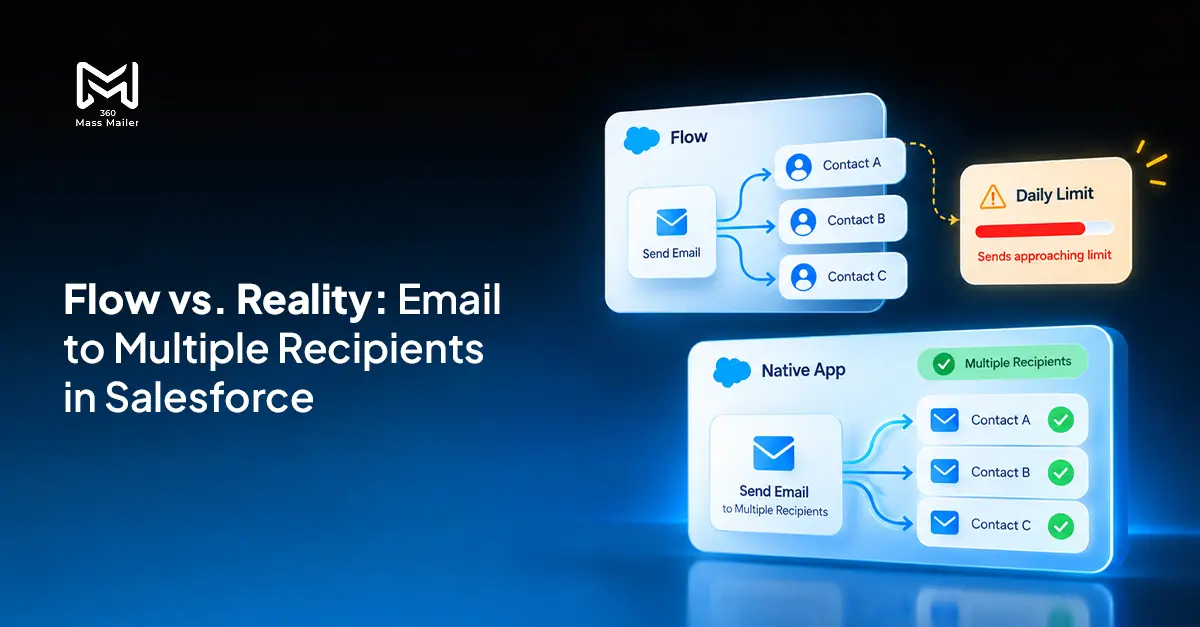 Email Marketing
Send Email to Multiple Recipients in Salesforce Flow: What Works and Where It Breaks
You’ve got a Flow that fires on a record update. You need it to send email to multiple recipients in Salesforce. The logic seems simple:…
Read More Comparison
7 Best Drip Campaign Tools for Salesforce in 2026: Features, Limits, and Pricing Compared
Most comparisons of the best drip campaign tools for Salesforce make the same mistake: they treat native tools and connected tools as if they’re interchangeable.…
Read MoreReady to Make the Most Out of Your Salesforce Instance?
Our Salesforce aces would be happy to help you. Just drop us a line at contact@360degreecloud.com, and we’ll take it from there!
Subscribe to our newsletter
Stay ahead with expert insights, industry trends, and exclusive resources—delivered straight to your inbox.
